
A Calendly link used to just mean booking time. Now, it can also mean getting paid. With Calendly payment links, you can create a shareable link to request payment for anything, without requiring someone to schedule a meeting first.
Whether you’re charging for a document review, collecting tips or donations, or selling full-service packages, you can generate a payment link right from Calendly. There’s no need to build a checkout page or switch to a separate ecommerce tool. You create the link, share it, and your client completes the payment through a secure Stripe checkout experience.
In this article, we’ll walk through what payment links are, when and why you’d use them, and how to set them up in Calendly.
What are payment links?
A payment link is a shareable URL that lets someone pay you online.
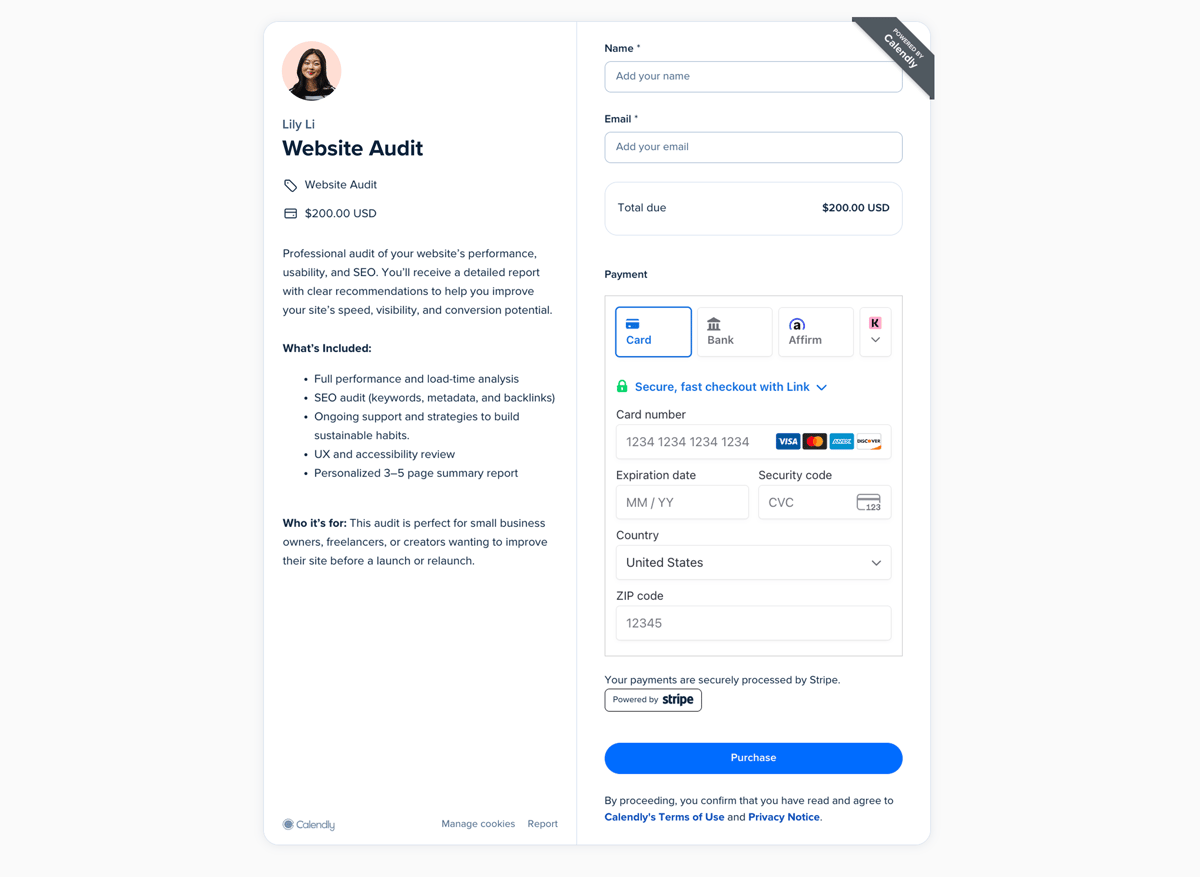
Instead of sending an invoice or building a full checkout flow on your website, you generate a link and send it to your client. When they open it, they see a description of what the payment is for and a checkout form.
Payment links are commonly used to accept payments without a website, charge for one-off services, or request fees that aren’t tied to a booking.
How do Calendly payment links work?
From the Payments tab, you can create a payment link for any service, fee, or add-on. You set the price, add a description, and choose your payment details. Then you can share the link through email, text, DMs, your website, or anywhere else you connect with clients and customers.
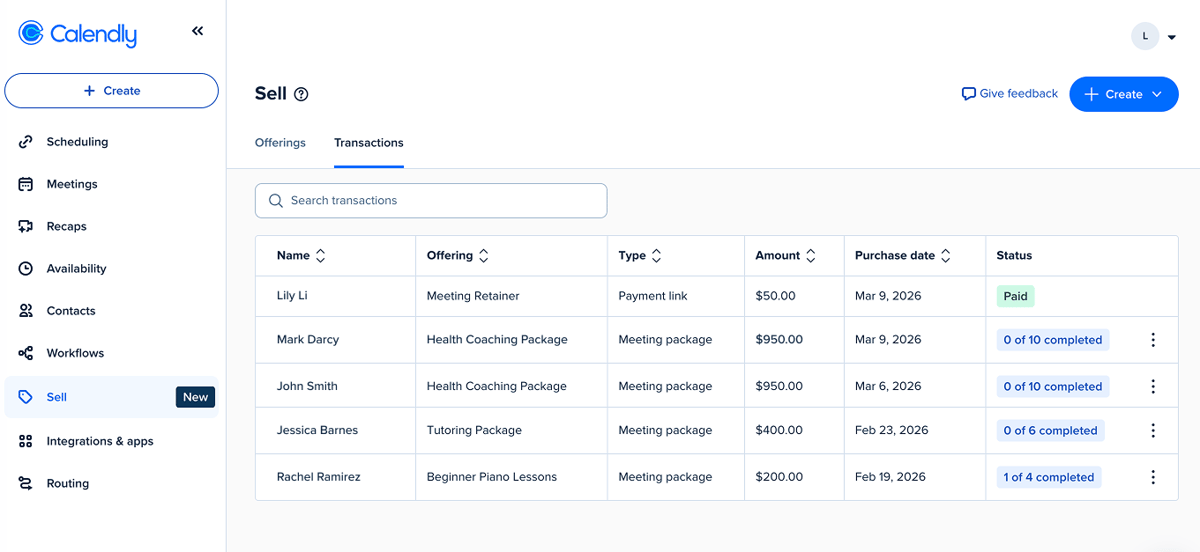
Your client completes the payment through a customizable, secure Stripe checkout page, and the transaction is tracked inside Calendly alongside your other payments.
Pro tip
Looking for a way to charge for client sessions? Sell one-off meetings by adding payments to your booking page. For repeat sessions, use Calendly meeting packages to sell session bundles, collect payment upfront, and let clients schedule additional appointments over time using your existing booking flow.
Why use payment links?
If you sell services, sometimes you need to charge for something that isn’t a scheduled meeting.
That might be a retainer fee, a charge for a rushed delivery, or an add-on service delivered outside of a session. Payment links give you a straightforward way to get paid.
Accept payments without a website
Not every business has — or needs — a full ecommerce setup.
Payment links make it possible to accept payments online without building a storefront or managing a complex checkout flow. This is especially helpful if you:
Run a business solo and are tight on time or resources
Work primarily through referrals or direct outreach
Offer custom or project-based services
Don’t want to maintain a separate ecommerce tool
You stay focused on your work instead of managing lots of logistics.
Make it easier for clients to pay
From your clients’ perspective, the experience is simple. They click the link, review what they’re paying for, and complete checkout.
With Calendly + Stripe, you can offer multiple payment options, including major credit and debit cards, Apple Pay, Google Pay, instant bank payments via Link, and “buy now, pay later” options.
That flexibility can make a difference, particularly for higher-priced services or installment-based work.
Manage all of your payments in one place
If you already use Calendly to schedule meetings or get paid for your time, payment links are a flexible, convenient way to charge for your work without needing to jump into a separate tool.
You can create and edit payment links in the Payments tab, view them in your Offerings list, and track transactions in one place. No extra invoicing software or complex spreadsheets needed. You stay organized without bouncing between tools.
How can you use payment links?
Payment links work best when you need to charge for services that aren’t connected to a scheduled meeting. Here are some examples:
Full-service packages: Sell bundled services that combine research, planning, and deliverables.
Project deposits: Secure client commitment upfront and cover initial costs for long-term projects.
Late or overage meeting fees: Protect your time by charging extra for meetings that start late or run over.
Tips and donations: Offer a simple way for people to support your work.
Retainer fees: Collect ongoing payments for advisory or consulting work.
Installments: Break a larger project into milestone payments.
Custom plans: Charge upfront for personalized budgets, meal plans, or training programs, then deliver the finished file directly to your client.
Document or asset reviews: Bill for resume edits, financial plan reviews, or website audits.
Art commission fees: Collect payment for custom artwork or designs.
If you charge for it, you can create a link for it. No ecommerce tools or online storefront required.
How to create a shareable payment link with Calendly
Payment links are created and managed within the Payments tab in your Calendly account. Before you can create a payment link, you’ll need to connect your Stripe account.
If you don’t see the Payments tab, make sure your Stripe integration is connected.
Once you’re connected to Stripe, creating your first payment link takes just a few clicks:
From the Payments tab, select Create > Payment link
Add your checkout page details (payment link name, header image, and description)
Click Continue
Set the price, currency, and optional payment terms
Click Continue
(Optional) Edit your confirmation message and customize the confirmation email
Click Create
Once you create your payment link, copy the link and share wherever you’re offering your services: on your website, via email or text, in your social media bios, and more.
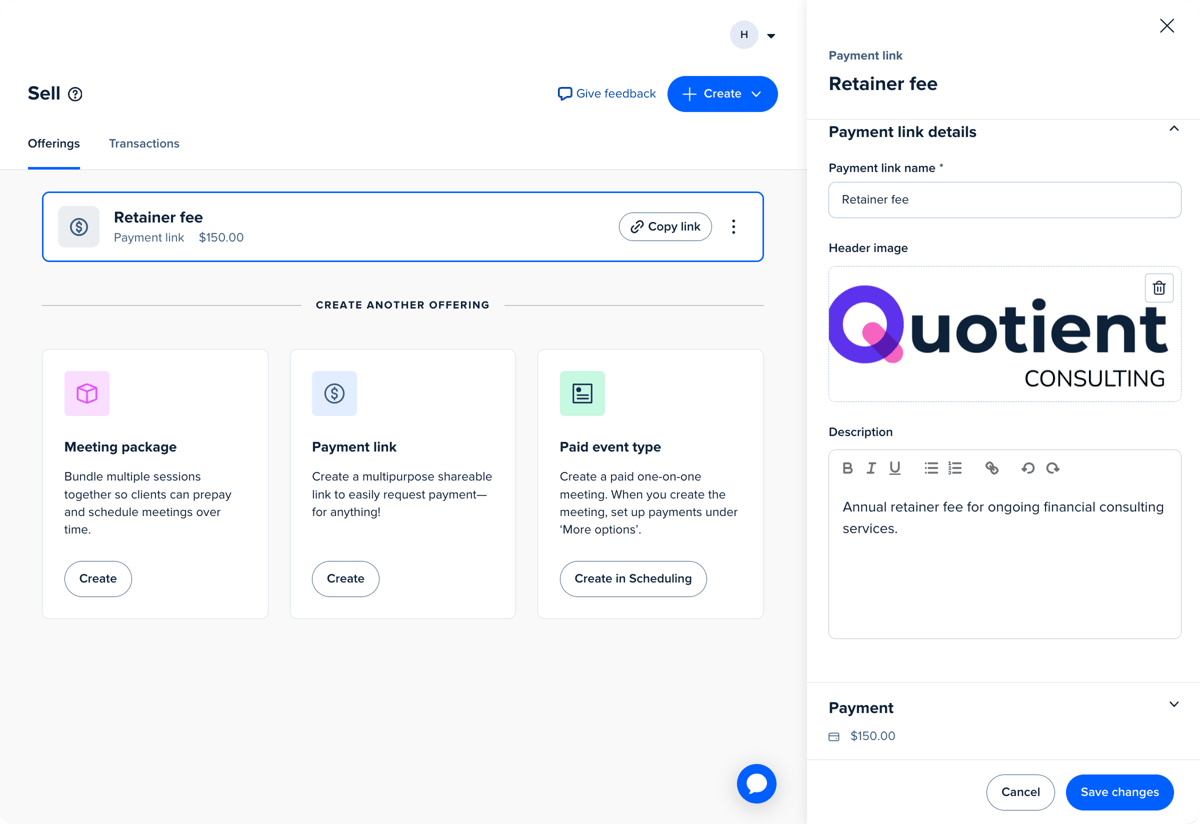
From the Payments tab, you can view and edit your payment links within the Offerings view, and use the Transactions view to see purchase details.
What do clients see when they click your payment link?
To finalize the transaction, clients simply open your payment link, review the details, enter their name and email, and submit their payment.
After paying, they’ll see a confirmation page with their purchase summary and your confirmation message. They’ll also receive an automatic payment confirmation email from Calendly.
For a full step-by-step tutorial and FAQs, visit our Help Center.
Ready to create your first payment link?
Payment links are available on all paid Calendly plans. Once you connect your Stripe account, you can create your first payment link in just a few clicks.
Spend less time managing invoices or multiple payment tools, and more time doing great work for your clients.
Get started with Calendly
Ready to make meetings easier than ever?
![[Blog hero image] best consulting tools](https://cdn.calendlycms.com/-Blog%20hero%20image-%20best%20consulting%20tools.png)